Pixels & tracking
Tell your ad and analytics platforms about every signup, using the tags already on your store. No extra pixel IDs to paste, nothing double-fired.
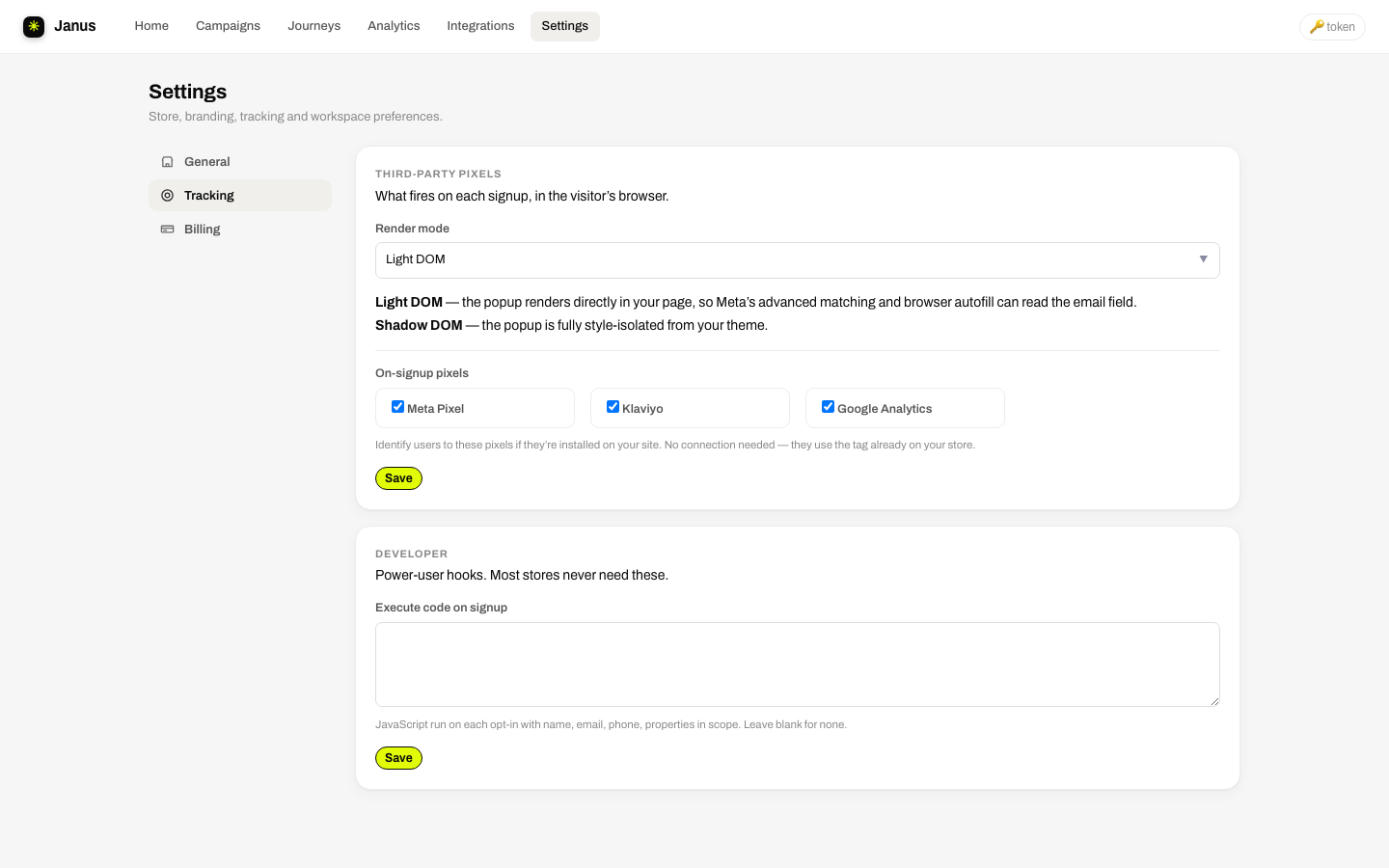
On-signup pixels
Each checkbox fires in the visitor's browser at the moment of a successful signup, through the tag your store already runs:
| Platform | What fires |
|---|---|
| Meta Pixel | A Lead event through your store's Meta pixel. Feeds ad optimization and lead custom audiences. |
| Klaviyo | identify on Klaviyo's onsite pixel; browsing behavior from that moment on is tied to the new profile. |
| Google Analytics (GA4) | A generate_lead event via your site's gtag. |
Render mode: Light vs Shadow DOM
| Mode | Trade-off |
|---|---|
| Shadow DOM | Fully style-isolated: your theme's CSS can't touch the popup, the popup can't touch your theme. Choose it if a stubborn theme stylesheet is fighting your popup. |
| Light DOM (default) | The popup renders directly in the page, so Meta advanced matching and browser autofill can read the email field. Styles are still namespaced defensively. |
Custom tracking
Every signup also dispatches a browser event any script can listen for:
window.addEventListener('popupstudio:signup', function (e) {
  // fire your own pixel, dataLayer push, etc.
});
For deeper control there's an execute-code-on-signup hook with the subscriber's details in scope: TikTok pixels, affiliate tags, whatever your stack needs.
Consent-awarePixels fire in the browser where your store's consent tooling governs them, and Janus separately records granular Shopify customer-privacy consent for targeting and compliance.