Triggers
Targeting decides who can see a popup; triggers decide when it opens. Edit them in the builder under When it shows or on the wizard's Launch step.
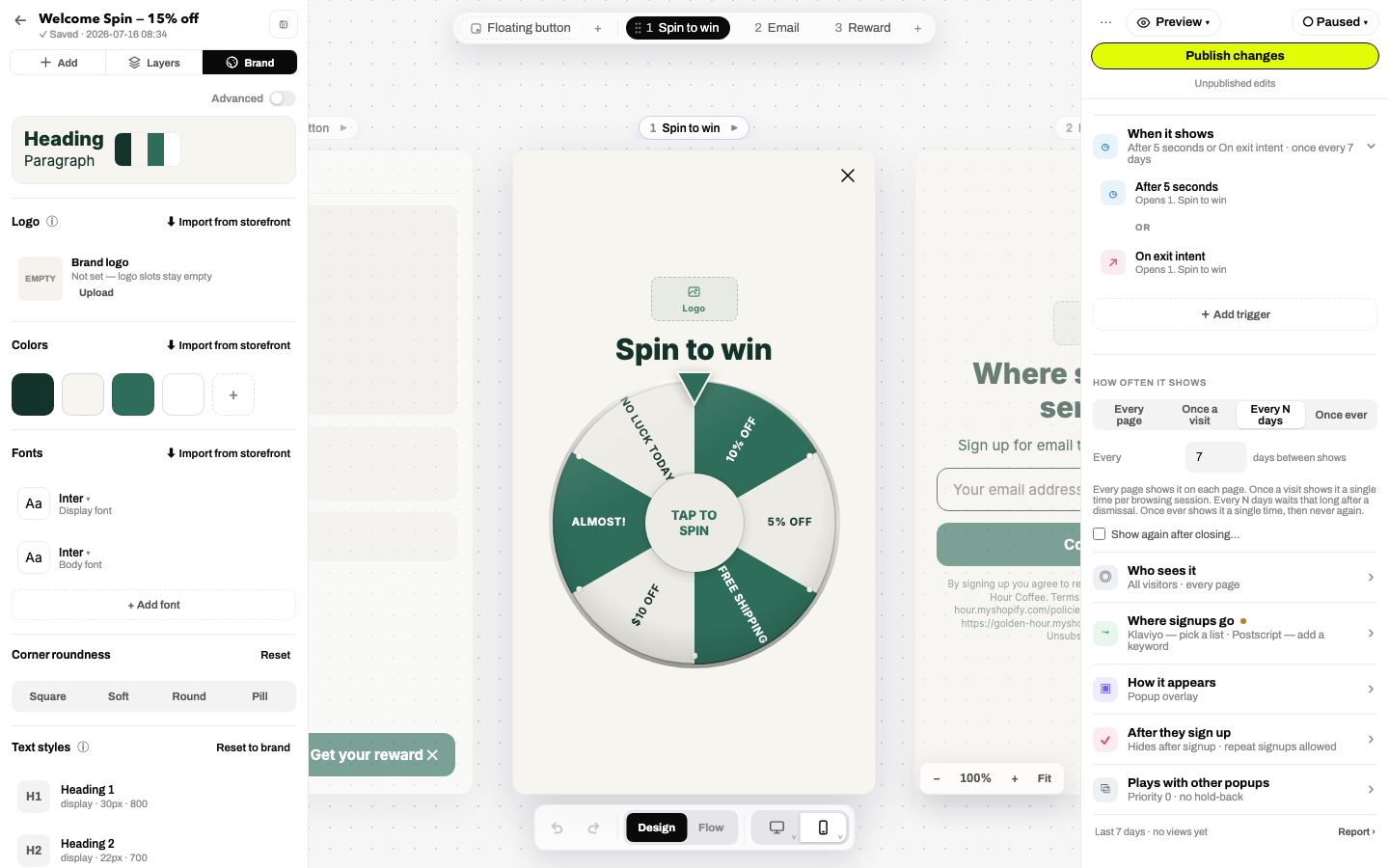
Trigger conditions
| Condition | Fires when | Options |
|---|---|---|
| Time on page | N seconds after the page loads | Seconds (default 4–5) |
| Scroll depth | The visitor scrolls N% of the page | Percent |
| Exit intent (auto) | Leaving behavior, detected per device | Mouse-out on desktop, fast scroll-up on mobile |
| Mouse leaves the page | The cursor exits toward the browser chrome | Desktop only; never armed on touch devices |
| Scrolls up quickly | A fast scroll back toward the top | The mobile exit signal (back-button reach) |
| After user is idle | No scroll, touch, mouse or key for N seconds | Seconds |
| Item added to cart | Anything is added to the Shopify cart | None |
| Cart value reaches | Cart total crosses a threshold | Amount (e.g. $50 for free-shipping nudges) |
| Manual (SDK) | Your code calls Janus.open() | See the SDK |
Trigger groups
A trigger is really a group of conditions. Each group sets:
- Any / all: fire when any condition is met, or only when every one is (e.g. 30 seconds on page AND cart over $40).
- Device scope: all devices, mobile only, desktop only. That's how you run exit intent on desktop + 60% scroll on mobile side by side.
- Visitor scope: all, new only, or returning only.
- Open step: which step the popup opens on (builder only); a returning-visitor group can skip the intro.
Groups combine with OR: the first group to fire opens the popup.
How often it shows
Below the triggers:
| Setting | Behavior |
|---|---|
| Every page | Eligible on every page load. |
| Once a visit | Once per browsing session. |
| Every N days | After a dismissal, waits N days before showing again. |
| Once ever | One showing, then never again. |
- Show again after closing… re-opens the popup after a delay if the visitor dismissed without converting (the "one more try" pattern; use gently).
- After they sign up: converted visitors stop seeing the popup unless you allow repeat signups, or show a custom "you're already in" message.
- Plays with other popups: a priority number decides which campaign wins when several match (highest wins), and "hold back if another popup was seen in the last…" keeps campaigns from stacking on one visit.
Testing triggersThe builder's live-site preview has a time-machine strip that simulates visit count, cart value and time-on-page, and shows a would show / would NOT show verdict, so you check a trigger in seconds instead of incognito-refreshing.