Templates
Forty finished designs, each a recipe of layout × frame × palette × content, which is why they restyle to your brand instead of fighting it.
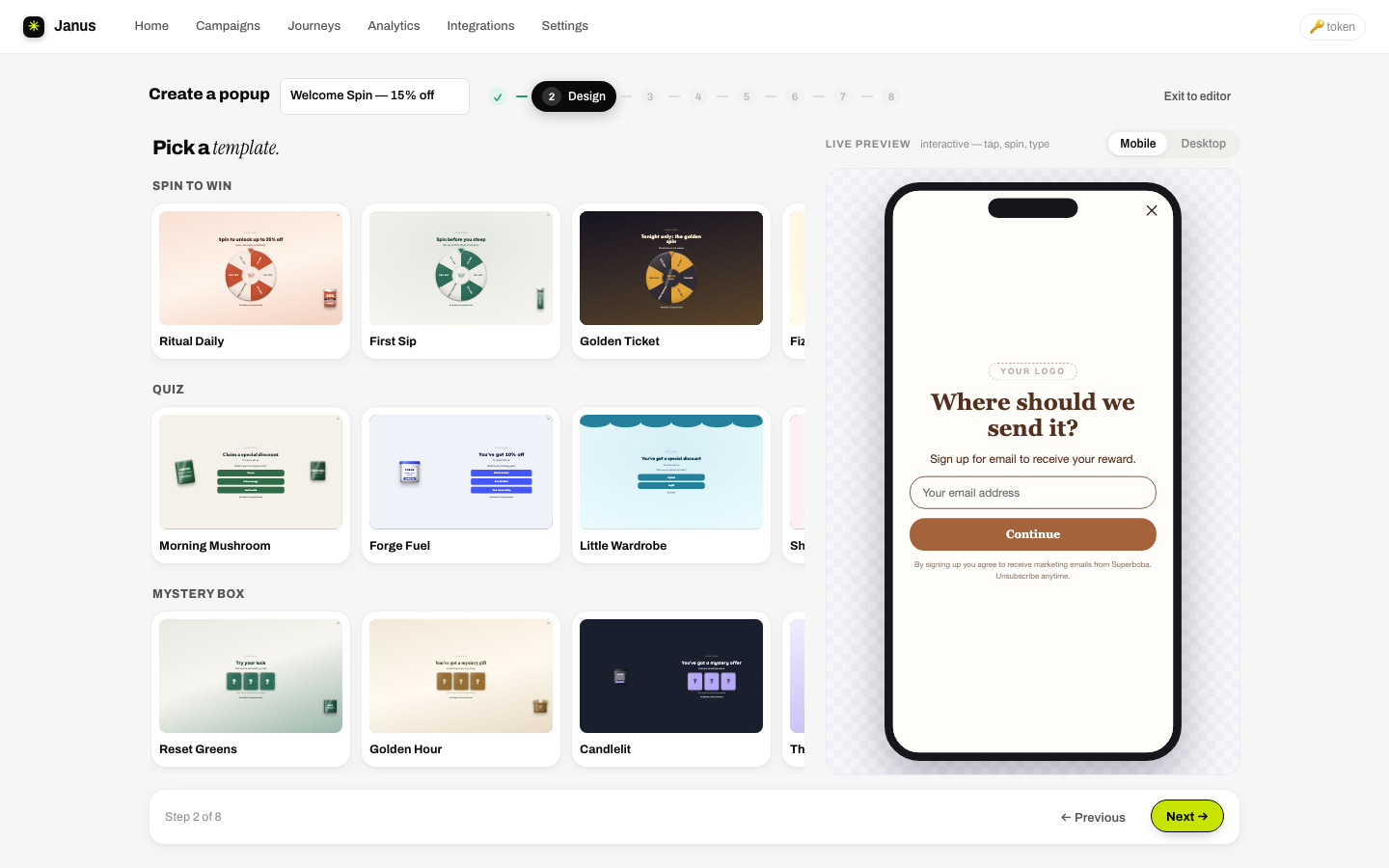
The gallery
Templates cover every kind of store (coffee & tea, beauty, skincare, fashion, jewelry, pets, tech, outdoor, wine & spirits, kids, home, plants, books, energy, fragrance and more) and every opener: spin, quiz, mystery box, scratch, plinko, slots, pick-a-card, micro-commitment, plain email capture, even birthday-collection and lead forms. Every image slot ships empty and role-labeled, ready for your product shots. No stock imagery to scrub out.
Style presets
Sixteen built-in palettes restyle any template on the spot. Porcelain and Night Market are marked Top performer; Ember, Meadow, Onyx, Citrus, Sunrise, Blush, Voltage, Forest, Scorch, Lagoon, Royal, Sandstone, Cacao and Midnight round out the set. Your brand (from Settings) is always first, and an Imported option appears after a site import.
Layout archetypes
Under every template is one of nine layouts you can also reach from the popup root: Fullscreen takeover, Fullscreen stage, Fullscreen split, Centered card, Banded card, Portrait card, Wide split, Bottom sheet and Side drawer.
Your templates
Any design you're proud of can join the gallery: in the builder, ⋯ → Save as template…. Saved designs appear in the wizard under a Your templates tab (with a ✕ to delete). Export design… / Import design… in the same menu move designs between campaigns, or between stores, as files.